opbazar app for Android: download the APK and log in
The opbazar app keeps the cashier, the cricket board and the casino floor on one screen. The file is 58 MB and free. Tap the button below, or scan the code with your phone camera and open the page on the handset you play on.
- 18+ only
- Encrypted login
- 24/7 live chat
- bKash and Nagad
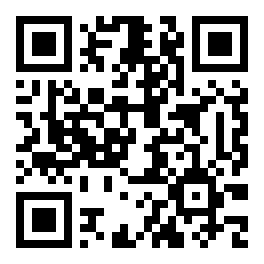
Point your camera here to open this page on your phone.
- Android 8.0 and newer
- 58 MB install file
- No Play Store account needed
Two ways to play: the installed app against the browser
Both versions run on the same opbazar account, so your balance and your bet history do not change when you switch. What changes is how often the page reloads, how much data one session pulls, and what happens when the line drops in the middle of a match night.
| What you compare | opbazar app | Mobile browser |
|---|---|---|
| Opening it | Tap the icon; the lobby is already loaded. | Type the address or use a bookmark, then wait for the page. |
| Data on a session | Lighter, because the lobby and artwork stay cached. | Heavier, since every visit fetches the lobby again. |
| Staying signed in | Session holds until you log out. | May drop when you clear tabs or browser data. |
| Cricket during play | Odds move on their own while you watch the slip. | You refresh by hand; slow lines show late prices. |
| Cashier | bKash, Nagad, Rocket, Upay and bank transfer, same limits. | Identical methods and limits inside the Cashier page. |
| Alerts | Match and withdrawal messages reach the phone. | Nothing arrives unless the tab stays open. |
| Storage and updates | 58 MB to install, plus a small cache; you install each new build. | Nothing to install; the page is always current. |
If you open the site twice a week, the browser is enough. If you follow a match ball by ball, or check the cashier between shifts, install the APK and keep the browser as a second door for updates.
Install source, permissions, and what the file can reach
An app that handles money deserves a second look before you tap install. Four checks cover almost everything a careful player needs to know, and each one takes under a minute on the phone.
One download address
The only install file we publish sits at opbazar.lat/download/opbazar.apk. Files passed around Facebook groups, Telegram channels or so-called modded sites can carry extra code you never agreed to. Check the address bar before you tap, and close the tab if it reads anything else.
Permissions you should see
Storage, so the APK can unpack and updates can be saved. Notifications, for match alerts and withdrawal messages. Network access, which every online app needs. Requests for your contacts, SMS inbox or call logs are a warning sign rather than a feature, and you can refuse them.
Where your ID goes
Your NID, passport or driving licence is checked once, before your first withdrawal, and the review takes about 24 hours. Upload it through the KYC screen inside the app or on the website. Never send document photos to someone who asks for them in a group chat.
Money stays on the payment page
bKash, Nagad, Rocket and Upay ask for your PIN inside their own screens, never inside ours. No genuine opbazar screen or support agent asks for a wallet PIN or a one-time code over chat. Treat any request for either as fraud and report it to the chat desk at once.
What the APK needs: version, size, and Android build
Before you start the transfer, check the numbers below against your phone. A handset on Android 8.0 or newer with a little spare storage will install without trouble; anything older should stay on the mobile browser.
| Detail | Value |
|---|---|
| File name | opbazar.apk |
| Version | 2.5.18 |
| File size | 58 MB |
| Minimum Android | 8.0 |
| Last updated | 10 November 2026 |
| Price | Free |
| Languages | English and Bangla |
Use Wi-Fi if you can. On mobile data the 58 MB transfer is fine but slower in a crowded area, and a dropped connection is the most common reason an install fails halfway. Keep roughly the same amount of free space before you start.
Install it on Android: five steps before your first bet
Android blocks files from outside the Play Store until you allow one, so the first step is a setting rather than the download itself. The wording shifts slightly on Samsung, Xiaomi and Realme phones, but the path is the same.
-
Allow one install from outside the store
Open Settings, then Apps, then Special access, then Install unknown apps. Choose the browser you will download with and switch “Allow from this source” on. You can switch it off again once the app is in place.
-
Download opbazar.apk on the phone
Tap Download APK on this page and leave the browser alone until the file lands in your Downloads folder. A second tap starts a second transfer, which is how half-finished files happen. Wait for the progress bar to close.
-
Open the file and confirm the install
Pull down the notification shade, or open Files then Downloads, and tap opbazar.apk. Android lists what the app can access. If Play Protect asks, choose install anyway only when the file came from opbazar.lat and nowhere else.
-
Log in or create the account
Open the app and sign in with the number and password you already use, or register inside the app if you are new. A fresh account needs a mobile number that can receive an SMS, since the code arrives by message. Existing players can use the login page first.
-
Make the first deposit and set a limit
Open the Cashier and pick bKash, Nagad, Rocket, Upay or bank transfer. Minimum deposit is ৳450 and most top-ups clear in about 3 minutes. While you are in settings, set a daily limit you can actually keep for a month.
iPhone and iPad: add the site to your home screen
- 1Open Safari and go to opbazar.lat. Other browsers on iOS do not offer the same shortcut.
- 2Tap the share button, the square with an arrow, in the toolbar at the bottom of the screen.
- 3Scroll the share sheet and choose Add to Home Screen, then keep or edit the name opbazar.
- 4The icon opens the full-screen site with your account already in place. There is no iOS file to install today.
Inside the app: six things you touch every session

A cashier that fits a lunch break
Deposits clear in about 3 minutes and withdrawals in about 34. The minimum withdrawal is ৳1,500 and the daily ceiling is ৳245,000. Five payment methods sit on one screen, with your last transaction pinned at the top.
A cricket board built for match nights
Local and international fixtures with pre-match and in-play prices on runs, wickets and session lines. Tap a market, type a stake in taka, and the slip stays visible while the match runs behind it. Full walkthrough in the cricket betting guide.
Live tables with real dealers
Blackjack, rummy and teen patti streamed from studios run by Ezugi and JDB. Several tables open at ৳1 minimum, so a low-stake evening is possible without moving to the slot lobby.
A slot library that keeps scrolling
Around 2,100 games from Ezugi, CQ9, Red Tiger, JDB and Playtech. Diamond Tycoon sits at 97.4% RTP, Plinko at 97.3%, and every tile shows the provider before you open it. The casino guide sorts them by type.
Crash and short rounds
Rounds that finish in seconds, useful when you have five minutes rather than a whole evening. Set the stake before the round starts, decide your stopping point first, and leave the balance alone once that budget is spent.
Account, limits and the chat desk
Check KYC status, change the password, set a deposit limit or close the account from the settings screen. Live chat answers at any hour in English or Bangla without leaving the app, which helps when a withdrawal is pending.
Two games opened from the home screen


When the install fails: five common blocks and a fix for each
Almost every failed install on Android falls into one of these five cases. Read the message on your screen, match it to the row below, and try the fix before you download the file a third time.
| What you see | What usually causes it | What to try |
|---|---|---|
| “App not installed” at the end | An older opbazar copy is still on the phone, or the file was interrupted | Uninstall the old icon, download the APK again over Wi-Fi, then install it fresh |
| Play Protect blocks the file | The scanner has no store record for an app installed from a website | Tap More details, then install anyway. Only do this for the file from opbazar.lat |
| “Parse error” when tapping the APK | The download stopped early, so the package is incomplete on disk | Delete the file, free some storage, then download once more without switching apps |
| The install button is greyed out | Storage is full, or the phone runs an Android version below 8.0 | Clear space, or play in the mobile browser, which needs no install at all |
| The app installs but closes at once | Background data is blocked, or a cleaner app removed part of the files | Allow background data for the app, restart the phone, then reinstall over the top |
If none of the five help, open Live Chat with your phone model and a photo of the exact message. The desk can tell within a minute whether the build supports your handset or whether you should stay on the browser.
Install questions that reach the chat desk
Is the opbazar APK safe to install?
Why does Google Play Protect show a warning?
The install failed. What should I try first?
How do I update the app when a new version comes out?
Does the app work on iPhone?
Can I deposit with bKash inside the app?
Do I need a separate account for the app?
Ready to move from the browser to the icon? The file is 58 MB, free, and installs over the top of an older build without touching your balance.
18+ · Play Responsibly · Support in Bangla, 24/7 Live Chat